Improved Location Search and Selection when Creating Tours
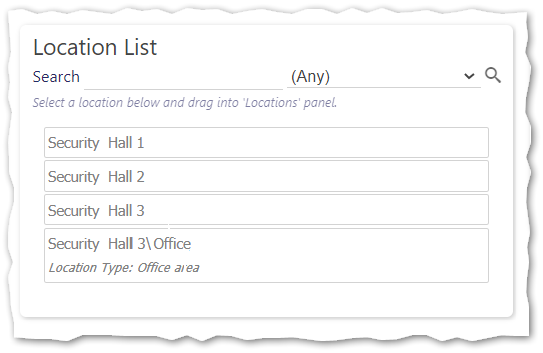
When designing a Tour, finding Locations that you have previously created can be challenging. Recognising this, from Timegate v21.4 onwards, we have updated the Timegate interface to make it easier and for administrators to quickly find the location that they are looking for. Within the Set Up | Site | Services | Tours view, the Location List panel has been enhanced by adding search facilities and a filter. You can search by Name or Location Type, and filter by Location Type. Within the search results, Locations are now displayed with their full path and type. Users will only see the Location Type for the selected Tour Location, not the parent Locations. An example is shown below: