Improved Question Actions when Designing Forms
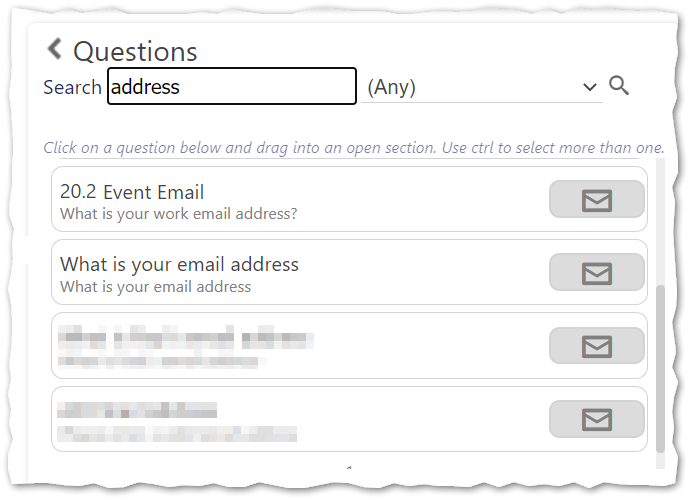
Locating questions that you have created to use when designing a form can be challenging. Recognising this, from Timegate v21.4 onwards, we have updated the Timegate interface to make it easier for administrators to find what they are looking for. Within the Service Forms design view (Admin | Forms | Service Forms) a scroll bar has been introduced enabling you to scroll through up to ten questions displayed on the screen at a time. If there are more than ten questions you can move from page to page in the same way you always could, using the page numbers at the bottom of the Questions list. Question name, type and text are now all displayed to aid searching further. Users can search by Question Name, Question Type or text. This should speed up locating questions and aid the re-use of questions by different users (thus reducing time, effort and duplication of similar questions). An example of the new interface is shown below. The word "address" has been used as the search criteria: