Show Form Section Scores within Service Desk Detail Page and Download Report
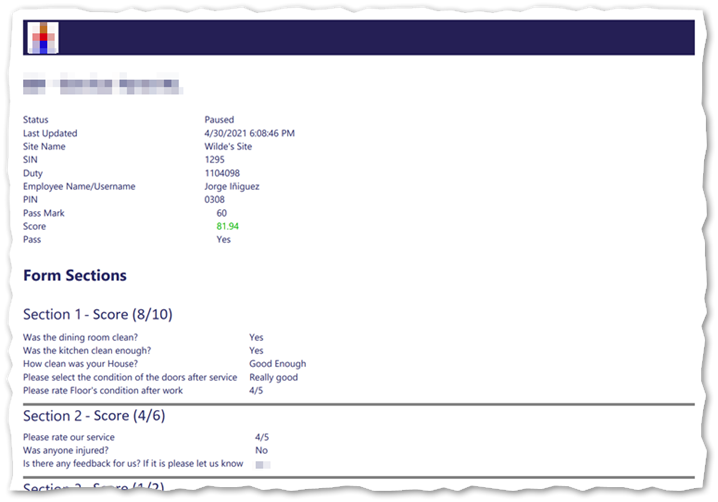
This enhancement available in Timegate v21.4 adds section specific scores to scorable forms within forms, tours or incidents. Both actual section score and possible section total scores are shown (e.g. 10/12) in addition to the overall achieved score and overall possible total score for the form. Users will be able to see these results both within a web browser and the PDF reports for the scores. These scores will also be visible on read-only incidents and tours (accessed by users without Timegate credentials via a link provided in an alerting email). If questions are optional and the person completing the form has decided not to answer the questions within a section, a section score will not be shown. If questions are answered but achieve no score, a section score of 0/0 will be shown on screen. The following illustrates section scores being displayed - 8/10 in the first section, 4/6 in the second: