Disable Questions at Tour Locations
In Timegate 21.4 the option to disable form questions for locations has been introduced. You may wish to set up a tour that includes one or more locations where you want to remove the option for employees to fill a given form. whilst retaining the ability to compete it at other locations on a tour. To remove the ability to view the questions or answer them on the form:
-
Open the Set Up | Sites
-
Select the Services tab
-
Select the Tour
-
Find the Location from the Tour Locations where you want to disable the form
-
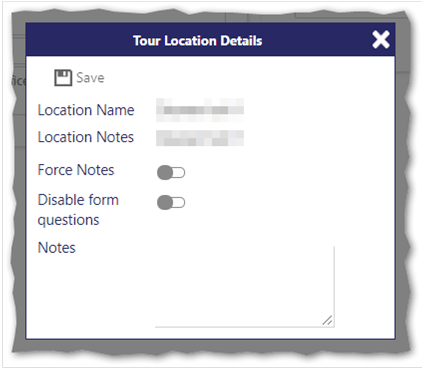
Select the pencil icon next to the form. The following screen is displayed:
-
Select Disable Form Questions. This will ensure that there is no option for the employee to see the form questions or have the ability to answer them a the selected location whilst undertaking the tour
-
Select Save